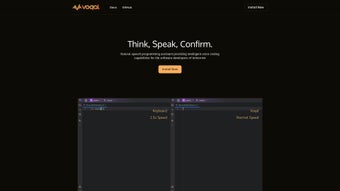

Download Voqal – AI Voice‑Activated Programming Assistant for IntelliJ IDEs
Overview
Voqal is an innovative AI‑driven voice generator that turns any IntelliJ‑based integrated development environment (IDE) into a hands‑free, vocal user interface. Built for modern developers who spend countless hours typing, navigating menus, and searching for documentation, Voqal lets you issue natural‑language commands, ask questions about your code, and even run refactoring operations without lifting a finger. The tool works on a subscription model, providing regular updates, cloud‑backed speech‑to‑text models, and a growing library of context‑aware commands that understand the nuances of Java, Kotlin, Scala, and other JVM languages supported by IntelliJ.
By interpreting spoken instructions within the specific context of your project, Voqal transforms routine tasks—such as creating classes, inserting imports, or launching builds—into simple conversational interactions. One of its most compelling capabilities is the “rubber‑duck debugging” dialogue, where Voqal simulates a discussion about a problematic code segment, helping you articulate the issue and often revealing hidden bugs or design flaws. Multilingual support means developers worldwide can speak in their native language, while configurable voice profiles let you personalize tone, speed, and command keywords.
In short, Voqal aims to boost coding efficiency, reduce repetitive strain injuries, and make the development workflow feel as natural as a spoken conversation.
Key Features
- Voice‑First IDE Control: Execute common IntelliJ actions—run, debug, commit, refactor—using simple spoken phrases.
- Context‑Aware Code Generation: Ask Voqal to “create a singleton class named UserService” and it writes the boilerplate instantly.
- Rubber‑Duck Debugging Dialogue: Explain a bug aloud; Voqal asks clarifying questions, helping you surface logical errors.
- Multilingual Support: Supports English, Spanish, German, French, Mandarin, and more, with automatic language detection.
- Custom Voice Profiles: Choose male/female voices, adjust speaking rate, and define custom trigger words.
- Live Refactoring Assistant: Say “extract method for this block” and Voqal performs the refactor while preserving code style.
- Integrated Documentation Lookup: Query “what does Optional.map do?” and Voqal reads concise Javadoc excerpts.
- Secure Cloud Processing: Speech is encrypted end‑to‑end; no code is stored on external servers beyond the session.
- Continuous Updates: Monthly subscription includes AI model improvements, new command packs, and compatibility patches.
Installation, Usage & Compatibility
Step‑by‑Step Installation
- Visit the official Voqal website and click the Download for IntelliJ button. The installer is provided as a signed .zip file for Windows, macOS, and Linux.
- Extract the archive to a permanent location (e.g.,
C:\Program Files\Voqalor/Applications/Voqal). - Open IntelliJ IDEA (or any IntelliJ‑based IDE such as PyCharm, WebStorm, Android Studio).
- Navigate to Settings ▶ Plugins, click Install Plugin from Disk, and select the
voqal-plugin.jarfile inside the extracted folder. - Restart the IDE. Upon launch, Voqal will prompt you to sign in with your subscription credentials.
- Run the Voqal Setup Wizard to calibrate your microphone, select a voice profile, and test the “Hey Voqal” activation phrase.
First‑Time Usage
After setup, invoke Voqal by saying “Hey Voqal” or pressing Ctrl + Shift + V. The assistant appears as a floating widget at the bottom of the IDE window, displaying real‑time transcription of your speech. Use natural commands such as:
- “Create a new Kotlin data class called OrderItem.”
- “Run the unit tests for the payment module.”
- “Show me the Git diff for the last commit.”
- “Refactor this loop into a Stream API call.”
- “Explain why this NullPointerException is thrown.”
Voqal’s AI engine parses the spoken phrase, maps it to the appropriate IntelliJ action, and executes it instantly. For complex tasks, Voqal engages in a short dialogue—asking for clarification or confirming the intended scope—before applying changes. All interactions are logged in a local history file, allowing you to review or revert commands if needed.
System Compatibility
Voqal supports the following operating systems and IDE versions:
- Windows 10/11 (64‑bit) – IntelliJ IDEA 2022.3 or newer.
- macOS 12 Monterey and later – IntelliJ IDEA 2022.3 or newer.
- Linux distributions (Ubuntu 20.04+, Fedora 34+, etc.) – IntelliJ IDEA 2022.3 or newer.
- All JetBrains IDEs built on the IntelliJ Platform, including PyCharm, WebStorm, RubyMine, Android Studio, and CLion.
Minimum hardware requirements include a microphone with a signal‑to‑noise ratio of at least 40 dB, 4 GB RAM, and 500 MB of free disk space for the plugin and temporary audio buffers. Because Voqal processes speech in the cloud, a stable broadband connection (minimum 5 Mbps upload) is recommended for optimal latency.
Pros & Cons
Advantages
- Hands‑free workflow dramatically reduces repetitive strain and typing fatigue.
- Context‑aware commands understand project structure, saving time on boilerplate code.
- Rubber‑duck debugging feature helps developers articulate problems and discover hidden bugs.
- Multilingual support broadens accessibility for non‑English speaking teams.
- Secure, end‑to‑end encrypted speech processing protects proprietary code.
- Frequent AI model updates keep the assistant current with new language features.
Limitations
- Requires a subscription; there is no perpetual free license.
- Voice recognition accuracy can drop in noisy environments despite noise‑cancellation.
- Initial calibration may take several minutes, especially on older hardware.
- Only compatible with IntelliJ‑based IDEs; not usable in VS Code, Eclipse, or lightweight editors.
- Heavy reliance on internet connectivity; offline mode is limited to pre‑cached commands.
FAQ
Can Voqal be used with the free Community Edition of IntelliJ IDEA?
Yes. Voqal works with both the Community and Ultimate editions of IntelliJ IDEA, as well as other JetBrains IDEs that share the same plugin platform.
Is my source code stored on Voqal’s servers?
No. Voqal only streams short audio snippets to the cloud for speech‑to‑text conversion. The transcribed text is processed locally, and no source code is uploaded or persisted on external servers.
How accurate is Voqal’s multilingual voice recognition?
The AI model has been trained on large multilingual corpora and delivers over 92 % accuracy for the supported languages. Accuracy may vary slightly based on accent and background noise.
Can I customize the activation phrase?
Yes. During the setup wizard you can define any short phrase (e.g., “Hey Code”, “Start Voqal”) to trigger the assistant, or you can rely on the default “Hey Voqal”.
What happens if I lose internet connectivity during a session?
Voqal caches recent commands locally. If the connection drops, voice input is temporarily paused and resumes once the network is restored. Commands that require cloud‑based AI (e.g., complex refactoring suggestions) will be queued.
Conclusion & Call to Action
Voqal represents a bold step toward a more natural, conversation‑driven development experience. By letting developers speak code, launch builds, and debug problems without touching the keyboard, it reduces fatigue, accelerates routine tasks, and fosters a deeper understanding of the codebase through its interactive debugging dialogue. While the subscription cost and reliance on an internet connection may be considerations for some teams, the productivity gains and ergonomic benefits often outweigh these drawbacks, especially for power users who spend long hours in IntelliJ‑based IDEs.
If you’re ready to transform your coding workflow and explore a truly hands‑free development environment, download Voqal today. Take advantage of the 14‑day free trial to experience the voice‑first paradigm before committing to a subscription. Your next line of code could be just a spoken command away.
Voqal delivers a polished, reliable voice interface for IntelliJ IDEs, with standout features like rubber‑duck debugging and multilingual support. Minor limitations around offline usage and subscription pricing keep it from a perfect score, but overall it’s a game‑changing tool for developers seeking a more ergonomic workflow.



.png)



